一、原文链接
原文链接:http://blog.csdn.net/chenggong2dm/article/details/25716309
我们接着上一个例子,做一个按钮的图片切换。
功能,就像播放器的“开始”和“暂停”。
编写TestButton.cs脚本:
using UnityEngine;
using System.Collections;

public class TestButton : MonoBehaviour {
   protected bool switchFlag = true;
   // Use this for initialization
   void Start () {

   }
   void OnClick () {
       if (this.switchFlag) {
           this.GetComponent<UISprite> ().spriteName = "pause";
           this.GetComponent<UIButton> ().normalSprite = "pause";
           this.switchFlag = false;
       }
       else{
           this.GetComponent<UISprite>().spriteName = "start";
           this.GetComponent<UIButton>().normalSprite = "start";
           this.switchFlag = true;
       }
   }
}
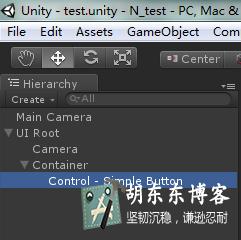
将脚本挂在simple button上
然后,运行:运行效果如下:

点击后,出现暂停按钮。

版权属于:东哥笔记 - DongGe.org
本文链接:https://blog.dongge.org/297.html
本文采用知识共享署名4.0 国际许可协议进行许可。转载或大段使用必须添加本文链接,否则您将构成侵权!